Karel: Test #1 Review
Format:
Hand written NO computer
| Approximate breakdown | ||
| True / False | 10 | marks |
| Fill in the blank | 12 | |
| Short answer | 17 | |
| Long answer | 11 | |
| ------- | ||
| Total | 50 | marks |
Covers:
- Extend a current class (e.g. extend Robot or ExperimentRobot for example).
- Create a constructor.
- Create a method that overrides a current capability (e.g. change turnLeft() in FastBot) or adds new functionality (e.g. turnRight() in ExperimentRobot).
- Create the class file for a new type of robot given a description of the robot.
- Create a 'tester' class to test a robot.
- Instantiate a Wall, Robot, Lamp or Thing object.
- Create a city file.
- Use a city file to instantiate a City object.
- Know how to interpret a class diagram.
- What are the basic required comments for a program and where to place them in the program. Don't forget the ones that describe each method!
- Simple DOS window program to print out information as in Assignment 2-2.
- Simple graphics objects. e.g. draw a rectangle, draw a filled in oval, etc.
- The main method for the graphics program
- WILL NOT INCLUDE hardware section.
Terms to know:
| class | method | import | extend | class diagram |
| super/sub class | parent/child class | System.out | println() | print() |
| super | this | override | constructor | fillOval |
| fillRect | drawLine | JFrame | setColor | setVisible |
| drawOval | drawRect | drawArc | setContentPane | awt |
| swing | setLocation | comments | fillArc | setSize |
Questions to try:
- Section 1.9 Problem Set. Exercise 1.16.
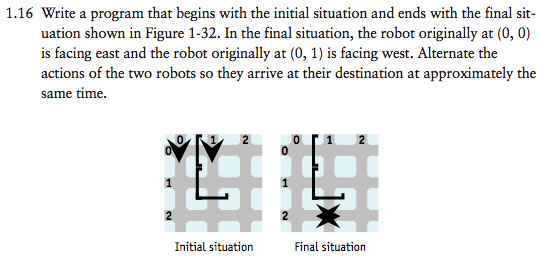
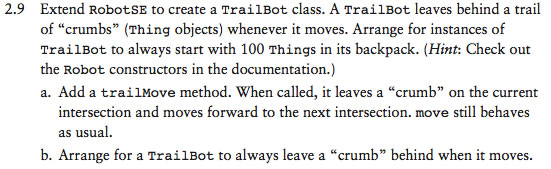
- Section 2.10 Problem Set. Exercise 2.7, 2.9, 2.12. Some of these questions use RobotSE. RobotSE is a new robot for us to use and it knows how to turn right and turn left, turn around and many other things.
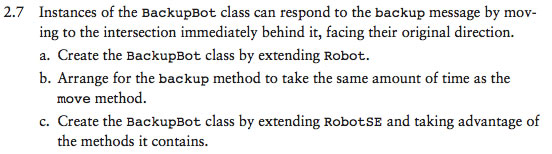

- Make a new robot that adds to the capabilities of Robot. This robot knows how to move backwards one space (like 2.7) but really fast. Set the speed to a large number.
- Make a city that has 3 walls that contain a thing. Put a lamp in the city and a robot above the lamp. Program the robot so that it goes and picks up the thing and then goes back and puts it down where it started. Do this using a plain robot.
- Make a WrongWayBot that extends RobotSE. RobotSE is a new robot for us to use and it knows how to turn right and turn left. A WrongWayBot will turn left when commanded to turn
right and turn right when commanded to turn left. Use the city file 'RichmondHill.txt'
to create the city and then pick up all of the items.
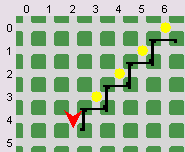
- Create a small city file.
- Use a city file.
- Get Java print out your name 2 times.
- Draw a circle, square, oval, rectangle, line and arc. Outline and filled.
- Create a custom colour and use it. Use a "built-in" colour too.