hts.StevenWood.com

[ Last Page ]

Karel 17a: Make an Icon

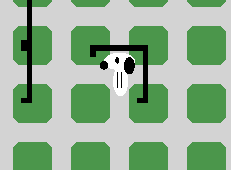
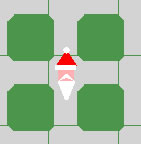
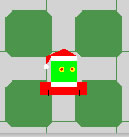
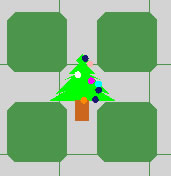
Grinch IconChristmas Tree Icon

Two steps are required:

A. How to make your icon

B. How to use your icon


A. How to make your icon.

Create NEW CLASS (new file) for your ICON. ADD it to the SAME PACKAGE as the Snoopy (or Grinch or Santa or decoration)

This example can be found in the Robot documentation on icons (http://www.learningwithrobots.com/doc/becker/robots/icons/Icon.html)
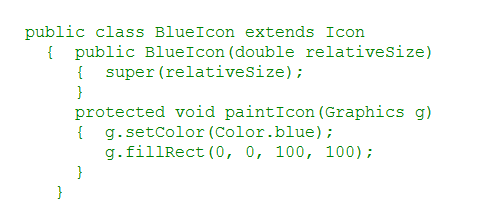
In the paintIcon method you will add the code to draw your picture. Remember the nice "fall scene" you created? Use the same code to draw your icon.

Name your class something appropriate.

You may have to import some things. Here is one item:

 

Drawing your picture in the paintIcon method:

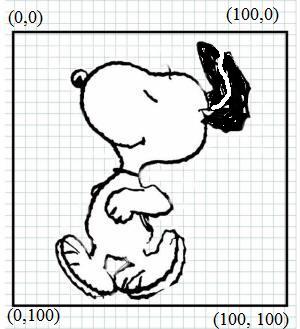
  1. sketch it on a 100 x 100 grid
  2. simplify the shape
  3. use the setColor, fillOval, etc. commands to draw it in Java.


B. Using your icon:

You will need to update your Snoopy (or Grinch or Santa or decoration) constructor.

  1. Add a line of code in the constructor to make a new icon. Set the size to 0.75 to start with.
    e.g. use the icon's constructor:


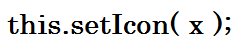
  2. Add another line of code in the constructor that will tell your Snoopy (or Grinch or Santa or decoration) to use the new icon.
Use a line of code like this:

Background information for top programmers:
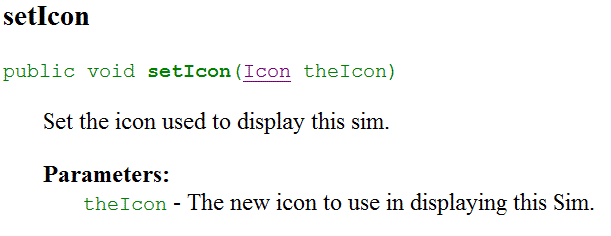
Which method will do this? Check the Robot documentation to find this method:


[Last Page]
All material on this site is copyright © 1997- by Steven Wood or as credited. All right reserved. Use of this site indicates you agreement with the  terms of use.
Send comments or questions to about this page.
Every attempt has been made to credit work under copyright. If there are any claims that copyright has been missed please contact the .
+SDG+