hts.StevenWood.com

Graphics: Types some words

Home ] Up ] Karel 1 ] Karel 1b ] Karel 2 ] Karel 2b ] Karel 3 ] Karel 4 ] Karel 5 ] Karel 5b ] Karel 6 ] Karel 6b ] [ Graphics: Types some words ] Graphics: Spell your name ] Graphics: Fall scene ][ Last Page ]

Karel 14a: Type some words

Complete the following in class or for homework. Do NOT hand in your work unless other instructions were given.

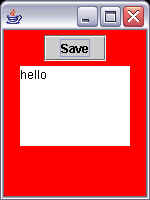
1. Modify the FramePlay program so that it displays a short sentence such as “I Love Java!”. 
  • Note that the sentence appears as soon as the program runs; it is not typed by the user
  • Hint: look at the on-line documentation for JTextArea()

       
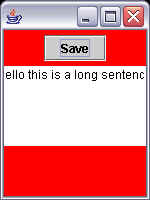
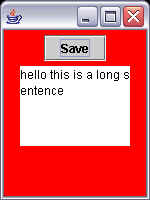
2. If the sentence is too long you can’t see it. Use setLineWrap() so that all the words in your longer sentence are displayed.

before

after


Home ] Up ] Karel 1 ] Karel 1b ] Karel 2 ] Karel 2b ] Karel 3 ] Karel 4 ] Karel 5 ] Karel 5b ] Karel 6 ] Karel 6b ] [ Graphics: Types some words ] Graphics: Spell your name ] Graphics: Fall scene ][Last Page]
All material on this site is copyright © 1997- by Steven Wood or as credited. All right reserved. Use of this site indicates you agreement with the  terms of use.
Send comments or questions to about this page.
Every attempt has been made to credit work under copyright. If there are any claims that copyright has been missed please contact the .
+SDG+